
A Transect Report consolidates all of the data on your site, so you can assess its viability and make decisions with confidence.
Haven’t run a Report yet? See Getting Started with Transect to learn how to run one, either from the Dashboard or after reviewing layers in the Map.
Summary
The Summary gives you an at-a-glance view of your site’s key details. It includes: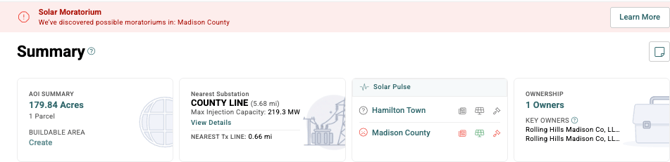
- AOI Summary: Total acreage, parcel count, and buildable area within your area of interest.
- Nearest Substation and Transmission Line: The closest substation and line to your AOI.
- Pulse: Local development activity and sentiment data for the jurisdictions your site falls within.
- Ownership: The number of owners within your AOI.
If a solar moratorium has been identified in your site’s jurisdiction, an alert will appear at the top of the Summary. Click Learn More for details.
Report Map
The Report Map shows your AOI and buffer, and allows you to add data layers to visualize constraints, infrastructure, and other features within your project boundary.
We also recommend reviewing:
- Ghost Waters®: Transect's proprietary data layer that identifies intermittent and ephemeral streams that public datasets often miss.
- Catalog Items: State-level and other layers within your area of interest and buffer that could affect feasibility, such as the U.S. Building Footprints and USFWS Eagle Incidental Take Permit Eligibility.
- Click the
 next to any layer to see its description and source link.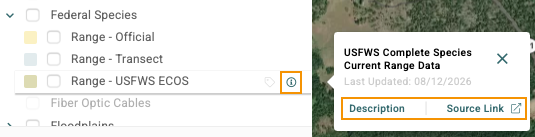
- Buildable Area: Shows developable land by filtering out slope, wetlands, and other constraints.
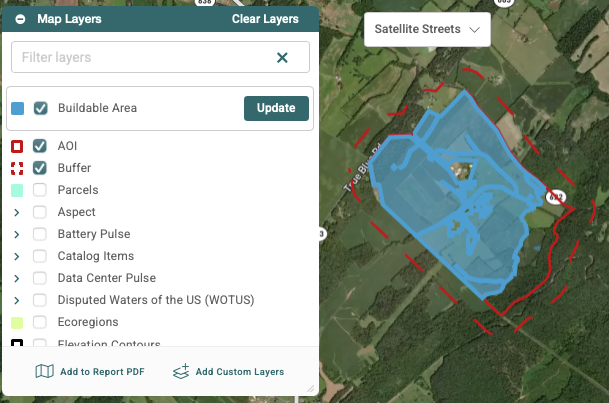
- Custom Exclusion Area: Remove buildings, transmission line corridors, or other features you don't want included in your buildable area by dropping points, drawing polygons, or uploading a KML.
Concern Assessment
The Concern Assessment breaks down your site’s environmental risks by category. Within each concern, you can:
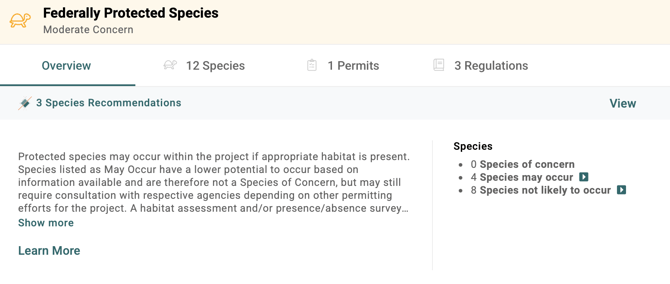
- Review supporting details, such as features within your AOI or buffer.
- View the permits, regulations, and recommendations tied to that concern level.
- Click Learn More for additional guidance.
Permit Matrix
- Local Solar Regulations: Zoning and permitting requirements for solar development in available jurisdictions, including moratoriums and ordinances.

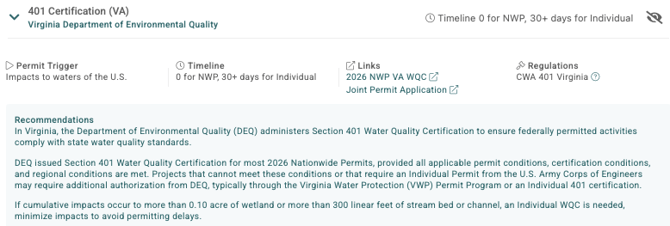
- State & Federal Regulations: The state and federal permits your Project will require, with each permit's trigger, timeline, governing regulations, and recommendations for staying compliant.
Pulse
Pulse uses AI to analyze local news, social media, and petitions, then scores community sentiment toward renewable energy and data center development (with the optional Data Center package) as Positive, Neutral, or Negative. It also flags moratoriums and ordinances, so you can spot opposition risk early.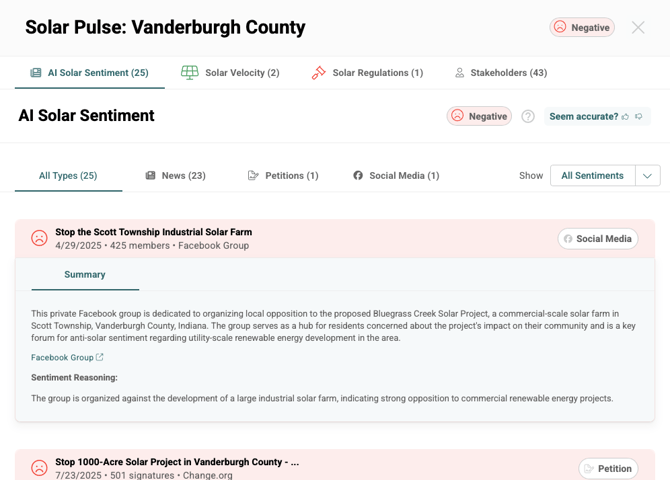
Exports & Risk Monitor
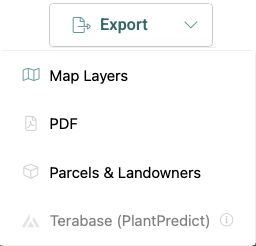
- Exports: Share findings with your team and stakeholders, or integrate Transect's data with your own Project documents.
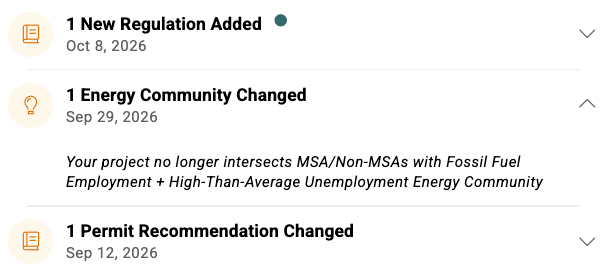
- Risk Monitor: Get notified about changes to federal and state permits, regulations, and species of concern, as well as shifts in community sentiment and nearby project activity (with Transect Pulse).
Next Steps & Support
What's Next?
This guide is the final part of a four-part series on finding and assessing sites in Transect. Review the other relevant guides below:
Need More Support?
- Support team: Questions about the platform? Use the in-app chat or email support@transect.com
- Environmental Team: Questions about environmental constraints or permitting considerations for your project? Schedule a consultation with our Regional Environmental Specialists.