
Solar, Wind, Battery, and Data Center Pulse are separate products that complement our core offering. For more information on pricing, please contact your Customer Success Manager.
Overview
Pulse is an AI-driven tool built on a vast proprietary dataset to streamline how you analyze local sentiment toward data center and renewable energy development. By utilizing sentiment scores and data from Pulse, developers can trim hours off their due diligence, avoid costly site selection mistakes, and craft stronger community engagement strategies for their projects.
In this article, we'll review:
- Key Features of Pulse
- Pulse Information in the Map
- Pulse Views in Reports
- Pulse Information on the Dashboard
- Frequently Asked Questions
Key Features of Pulse
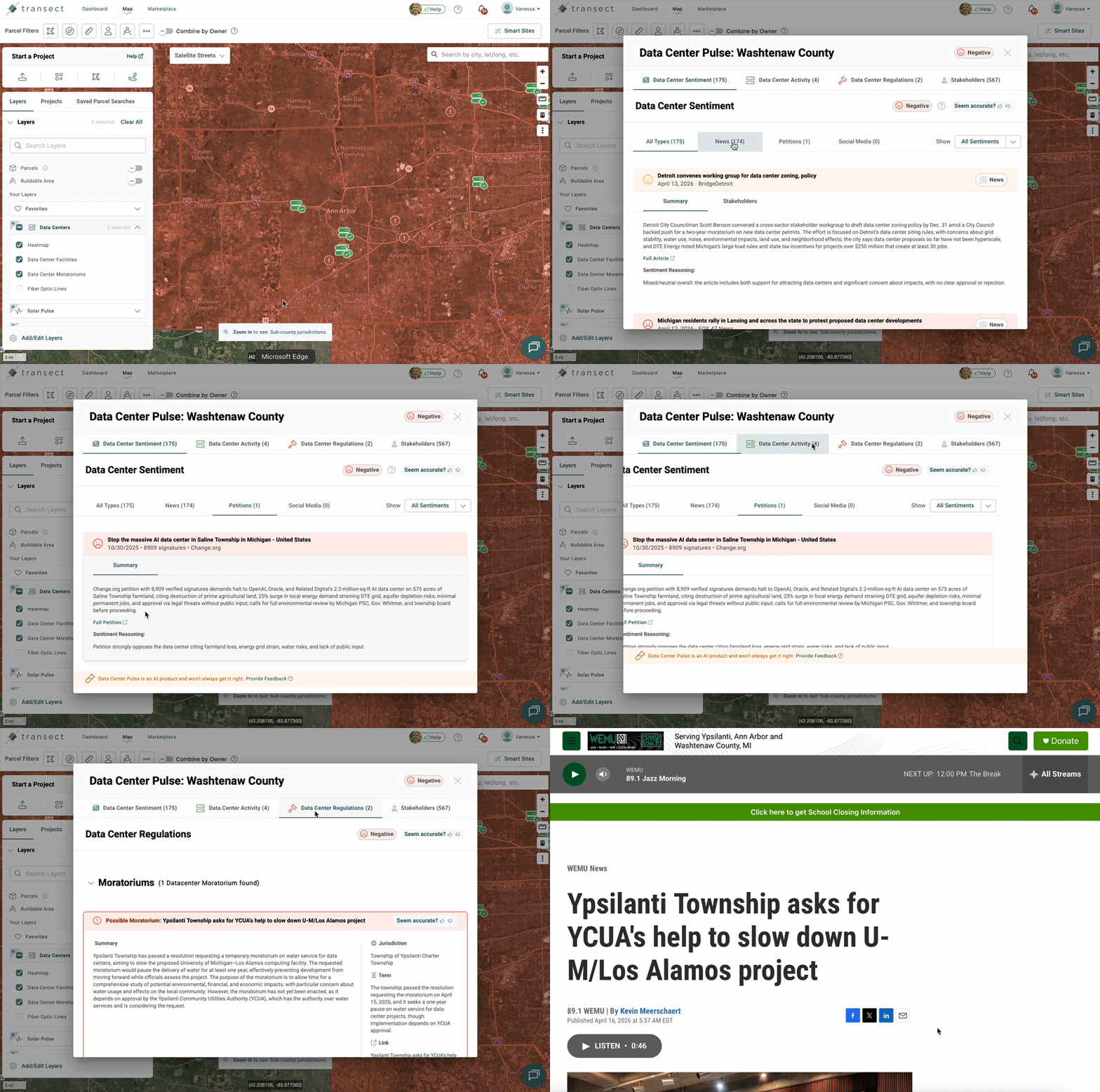
- Interactive Heatmap: Visualize county and sub-county-level sentiment, pinpoint existing and planned project locations, and quickly identify jurisdictions with moratoriums.
- AI-Driven Sentiment Analysis: Access in-depth analysis of thousands of news articles, petitions, and posts on X, Reddit, and Facebook groups to understand local sentiment towards renewable and data center development.
- Vast Regulations Database: Review summaries of moratoriums and ordinances.
- Stakeholder Insights: Identify key local influencers shaping public sentiment and uncover the specific drivers behind project support or opposition.
Pulse Information in the Map
The Map shows Pulse scores for every jurisdiction, plus nearby projects and moratoriums. Turn on the Pulse layers, then click any jurisdiction to see what’s behind its score.
- Turn on Pulse Layers:
- In the Map Layers widget, click to expand Solar/Wind/Battery/Data Center Pulse.
- Select the layers you'd like to see:
- Sentiment Heatmap: colors each jurisdiction by positive, negative, or mixed sentiment.
- Farms/Projects/Facilities: shows nearby projects, color-coded by status.
- Moratoriums: marks jurisdictions with active moratoriums.
- Explore the Heatmap: Identifies county and sub-county jurisdictions with positive, negative, or mixed sentiment. Click any jurisdiction on the Heatmap to open its pop-out and see the data behind its overall Pulse score.
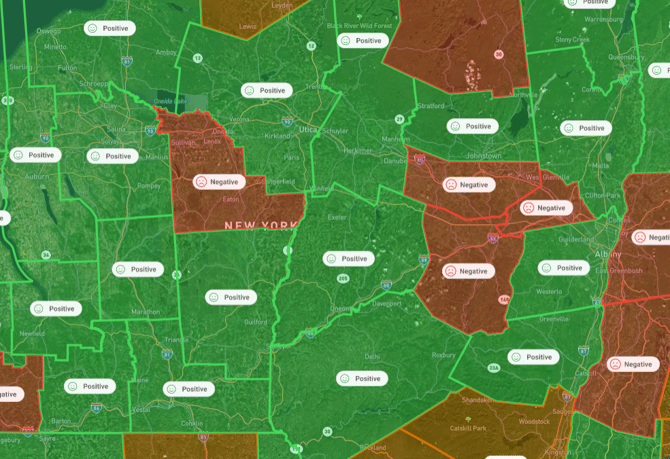
- You can view sub-county data by zooming in on the Heatmap layer past a county to identify specific cities, towns, townships, or villages, as shown below:
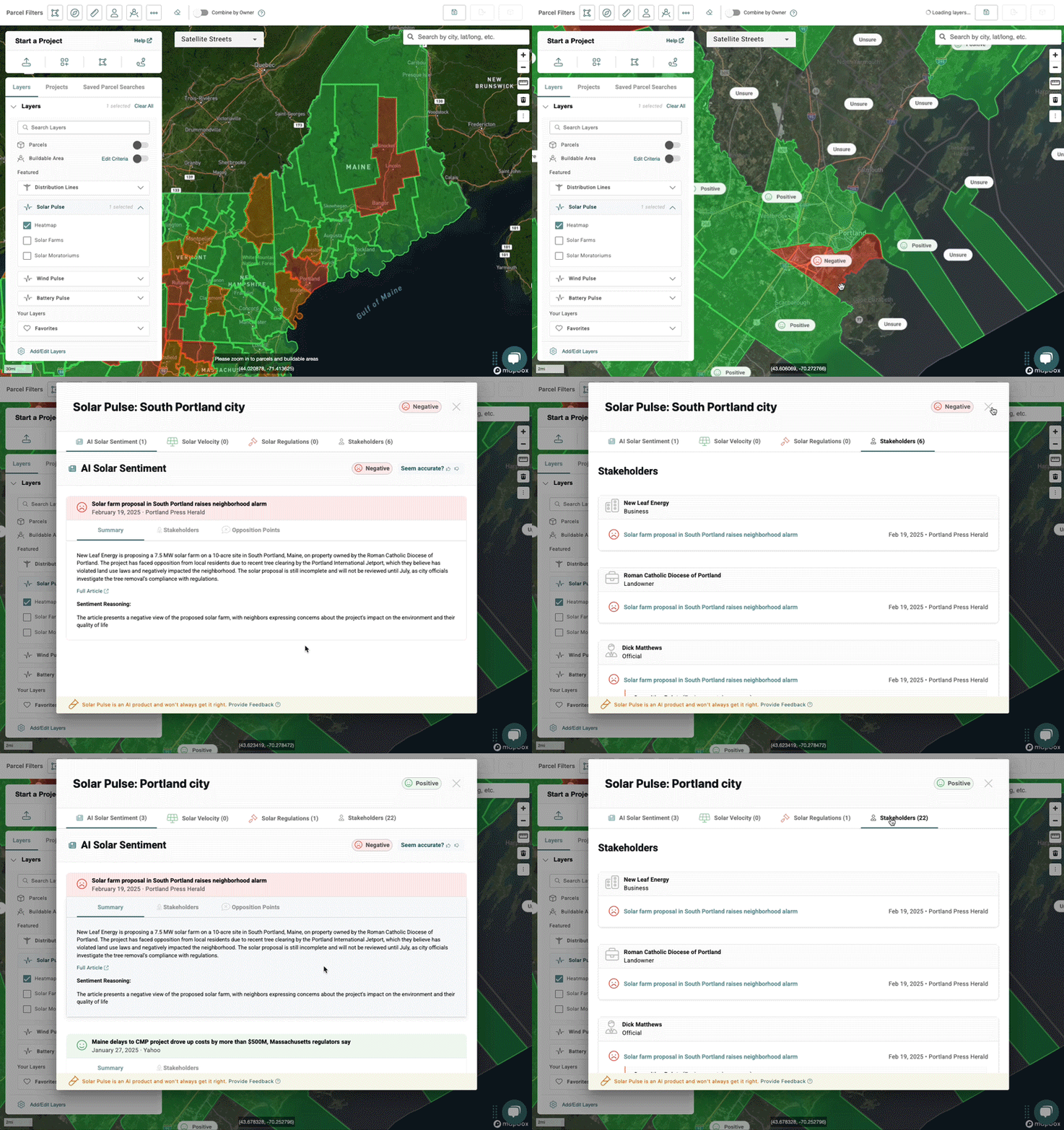
- You can view sub-county data by zooming in on the Heatmap layer past a county to identify specific cities, towns, townships, or villages, as shown below:
For county-level scores, zoom to about 10–20 miles. For sub-county scores, zoom in to about 2 miles.You can check your zoom in the lower-left corner of Transect: 
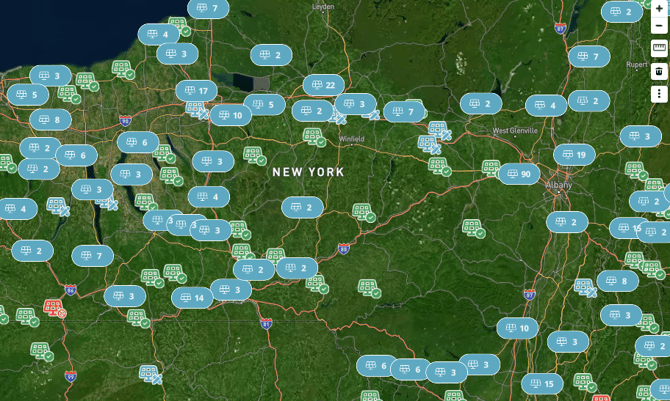
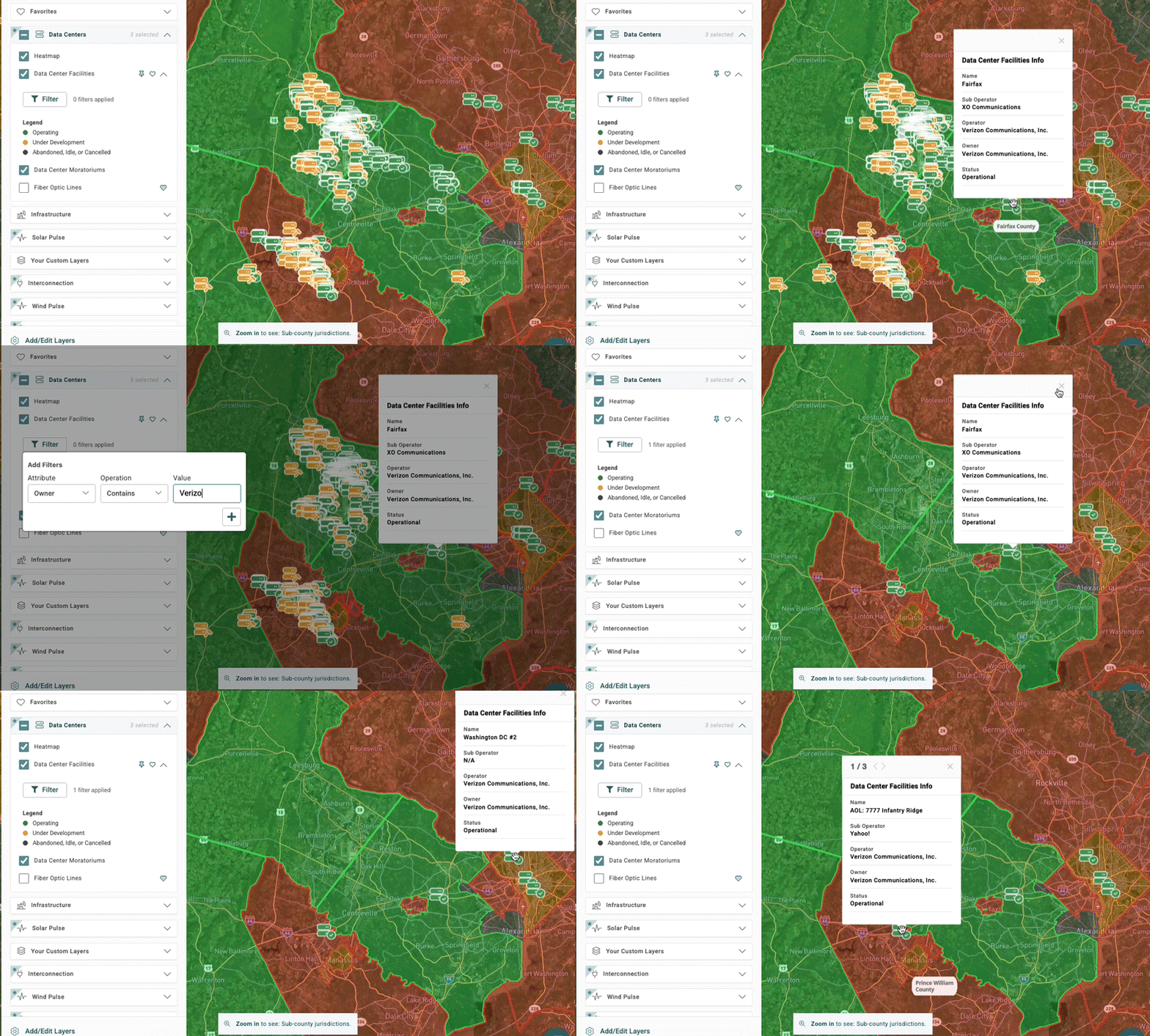
- Projects: Locates operating (green), planned (blue), and canceled/postponed (red) projects. Data Center Pulse also shows under development (yellow) and abandoned/idle/canceled (gray). Select project pins to view all the info in the popup modal.
- Filtering: With Data Center Pulse, you can also right click on the Map to see relevant metadata and apply filters for that criteria.
- Note that some attributes will have pre-populated options in the “Value” dropdown when the “Is” operation is selected:
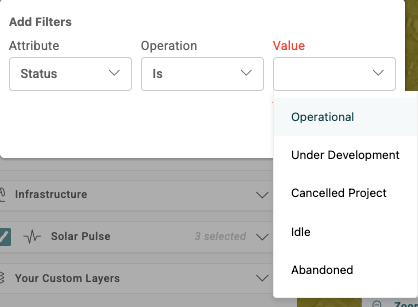
- Note that some attributes will have pre-populated options in the “Value” dropdown when the “Is” operation is selected:
- Filtering: With Data Center Pulse, you can also right click on the Map to see relevant metadata and apply filters for that criteria.
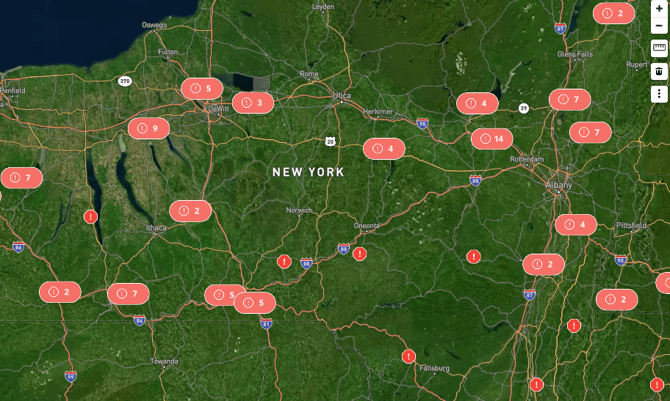
- Moratoriums: Pinpoints jurisdictions with development restrictions. Click a moratorium icon to quickly view its one-paragraph summary and access the original source doc.
- Pop-Out Modal: As described above, click any county or sub-county in the Heatmap layer to view the underlying data driving the jurisdiction’s score. The “Stakeholders” tab provides an organized list of key people and organizations influencing local sentiment.
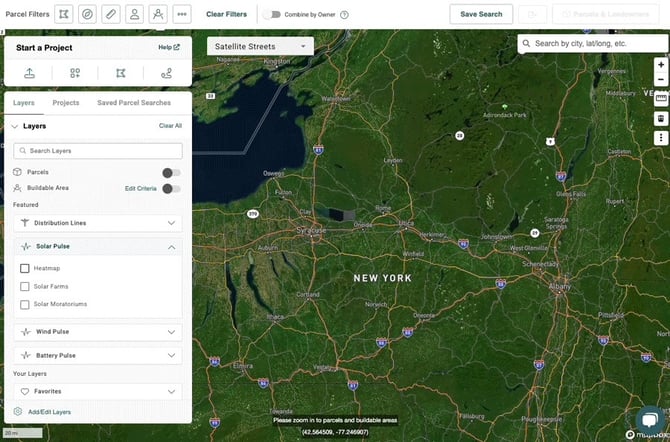
- “Your Site Selection” Side Modal: Create a project area in the Map to showcase Pulse scores for relevant jurisdiction(s) in the side modal.
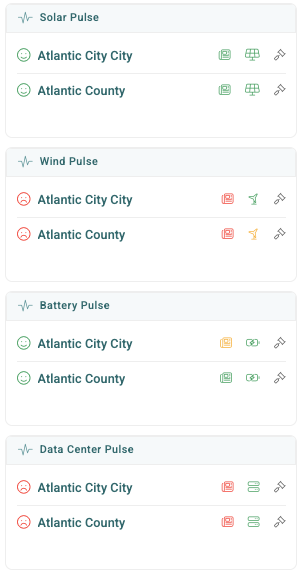
Pulse Views in Reports
At the top of the Executive Summary, you’ll see a Pulse card that indicates the overall sentiment rating of the jurisdiction(s) where your AOI is located.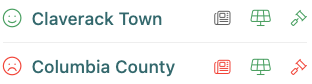
Next to the county or sub-county's name, you’ll see color-coded iconography that indicates whether the rating is positive (green), mixed (orange), negative (red), or unsure (gray). You can click the icons to be routed to other sub-pages:
 AI Sentiment: The Sentiment tab highlights the aggregated sentiment score within each of your project area’s jurisdiction(s), with a list of the news articles and their individual sentiment scores, sources, brief summaries, score reasoning, and links. You'll also see tabs for Petitions and Social Media, which provide a broader take on what opposition may be like in your area of interest. The "Stakeholders" and "Opposition Points" tabs provide valuable insights about the local people or organizations influencing public sentiment and their primary reasons for opposition, if any.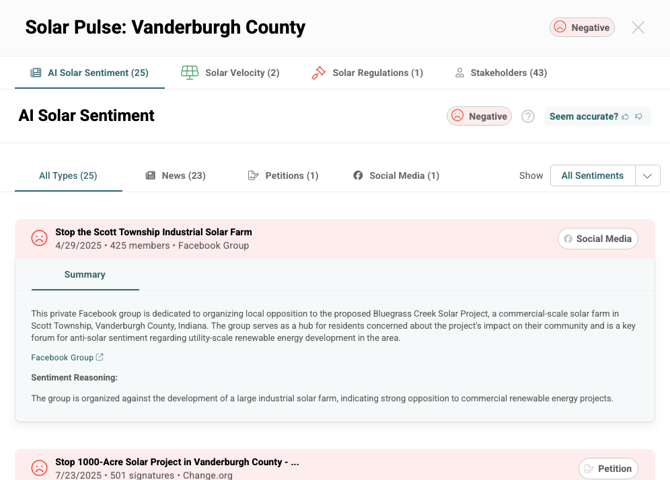
Please note that AI Solar Sentiment only tracks new articles relevant to utility-scale and community solar projects. News about rooftop solar is not included. And AI Wind Sentiment focuses on utility-scale, onshore wind projects.Solar Velocity / Wind / Battery / Data Center Activity: This report sub-page provides a list of projects in various stages of development within the project’s jurisdiction(s), where you can sort or filter the projects using the column headers.
If a jurisdiction has contested solar, wind, or battery projects, the Contested tab will become visible. Simply click the View button under the "Description" column to read a summary and access links to relevant sources.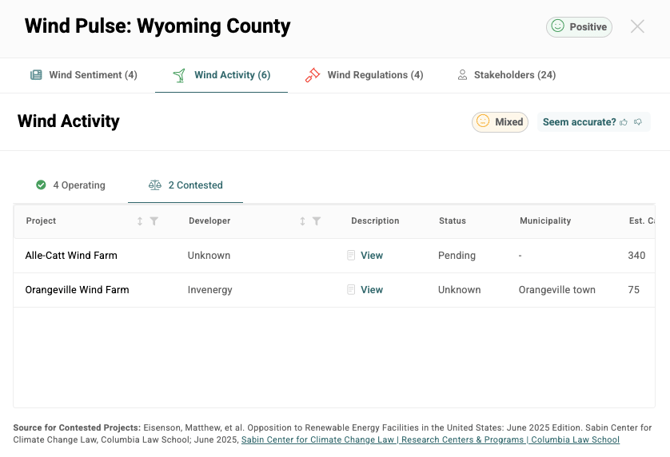
 Regulations: On this report sub-page, you’ll find a list of any moratoriums or ordinances we’ve collected for the jurisdiction(s) where your project is located. You’ll see summaries of these regulations, links to the source docs, and an option for “Expert Verifications” of moratoriums, for no added fee.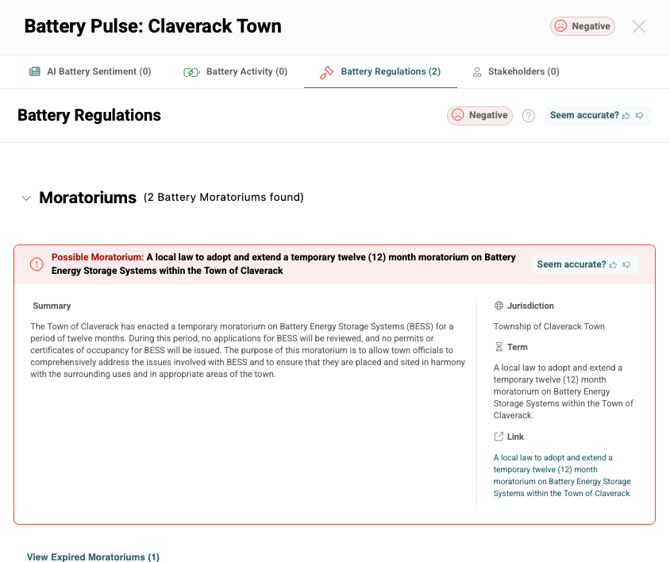
Pulse Information on the Dashboard
On the Dashboard, select Community Sentiment to view news articles about renewables and data centers wherever you've run reports. This page will provide a list of articles that you can filter by Types (Solar, Wind, Battery, Data Center), States, or Jurisdictions. On this page, you'll also notice that:
- Articles are presented in reverse-chronological order.
- Articles are related to solar, wind, battery storage development, and data centers, regardless of how many Pulse products you subscribe to (or none at all).
- If your organization doesn't subscribe to Solar, Wind, Battery, or Data Center Pulse, you'll see at most 10 articles. Otherwise there is no limit on how many articles may appear.
Frequently Asked Questions
- Where does your AI Solar / Wind / Battery / Data Center Sentiment data and analysis come from?
We built a proprietary data collection and analysis process to specifically target news articles that mention solar, wind, battery, or data center development. - Where does your Solar Velocity / Wind Activity / Battery Activity data come from?
We’re pulling most of this data directly from the U.S. Energy Information Administration (EIA), with updates occurring on a monthly basis. Our contested project data comes from our friends at the Sabin Center via their June 2025 report. - Where does your Data Center Pulse Activity data come from?
This data is pulled directly from Rextag, with updates on a monthly basis. - How does your “Under Development” project data differ from the rest of the Solar Velocity data?
To supplement EIA’s limited list of ~1,500 planned sites, Solar Velocity now includes 12,000+ "Under Development" projects via Ohm Analytics (as of July 2024). These projects are not yet represented on the map or factored into Solar Pulse scores due to potential data inaccuracies. - Where does your Solar / Wind / Battery / Data Center Regulations data come from?
We built a proprietary data collection and analysis process. - How often do you refresh your Pulse data?
We refresh our AI Sentiment data weekly, project data monthly, and regulations data monthly. - Do you have any data about when developers took leases for their projects?
No, we currently don't track when developers took leases for their projects. - How can I share Pulse information with my team?
Pulse information can be shared with your team by sharing the report via magic link. Users will be able to review and interact with a read-only version of the Executive Summary and Pulse data. - How are you defining the opposition points within AI Solar / Wind / Battery / Data Center Sentiment?
Please refer to this document for definitions of all opposition points. - How are you defining the stakeholder types within AI Solar / Wind / Battery / Data Center Sentiment?
Please refer to this document for definitions of all stakeholder types.
- How can I share my feedback or ideas for improving Pulse?
Your insights help us refine Pulse to better support your development efforts.- Feature & Data Feedback: Use the in-app feedback tool (see screenshot) to report what’s working, what isn't, or what’s missing (e.g., specific news articles or links).

- Strategy & Roadmap: To share general feedback or help prioritize upcoming features, please contact your Customer Success Manager.
- Feature & Data Feedback: Use the in-app feedback tool (see screenshot) to report what’s working, what isn't, or what’s missing (e.g., specific news articles or links).