
When ordering a Transect report, you are asked a series of context-specific questions. These aren't just for record-keeping—our platform uses your answers to filter through thousands of datasets and regulatory requirements, ensuring you only see the permits and species concerns that actually apply to your specific project type and location.
Project Type & Subtype
Selecting your Project Type (e.g., Renewable Energy Generation) and Subtype (e.g., Solar) is the most critical step in the process.
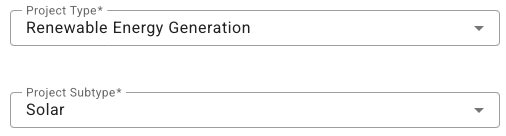
Why it matters: The Project Type is what triggers the relevant permits and regulations within your Transect Report. If you’re unsure how your project should be categorized, check out this resource on Project Types.
Project Status & Funding
-
Project Status indicates whether a project is New Construction, Maintenance, or Expansion and helps to determine whether new environmental reviews should be triggered or if existing site permits may be applicable.
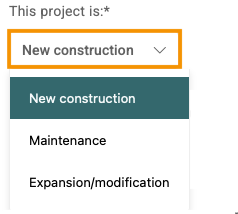
-
Federal Funding indicates if the project is using federal funds for determining NEPA (National Environmental Policy Act) applicability.
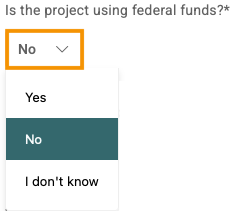
Why it matters: If you select "Yes" or “I don’t know”, your report will include federal permits and requirements that are not typically required for privately funded projects.
Resource Impacts (Rivers, Streams, & Wetlands)
We ask if you anticipate impacting jurisdictional waters, such as rivers, streams, or wetlands.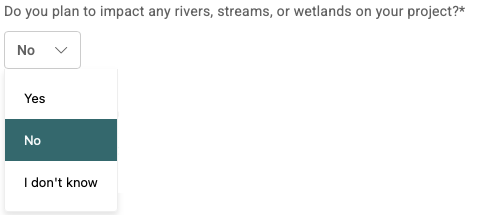
Why it matters: Selecting "Yes" or "I don't know" prompts Transect to trigger Section 404 permits (Nationwide or Individual) and relevant state-level water quality certifications. This helps you anticipate mitigation costs and permitting timelines early.
Setting Your Report Buffer
Environmental risks don't stop at property lines. The Report Buffer slider allows you to monitor potential issues adjacent to your site.
Why it matters: A nearby protected habitat or a stream just outside your boundary can still trigger mitigation requirements or impact your site plan. Transect’s default buffer is 660 feet (1/8 mile), aligned with USFWS recommendations for bald eagle nest protection.
Adjusting your Report Parameters
Project scopes evolve, and so should your data. If your project’s funding source changes or you decide to shift your site boundaries, you can update your report parameters at any time to re-run the regulatory logic.
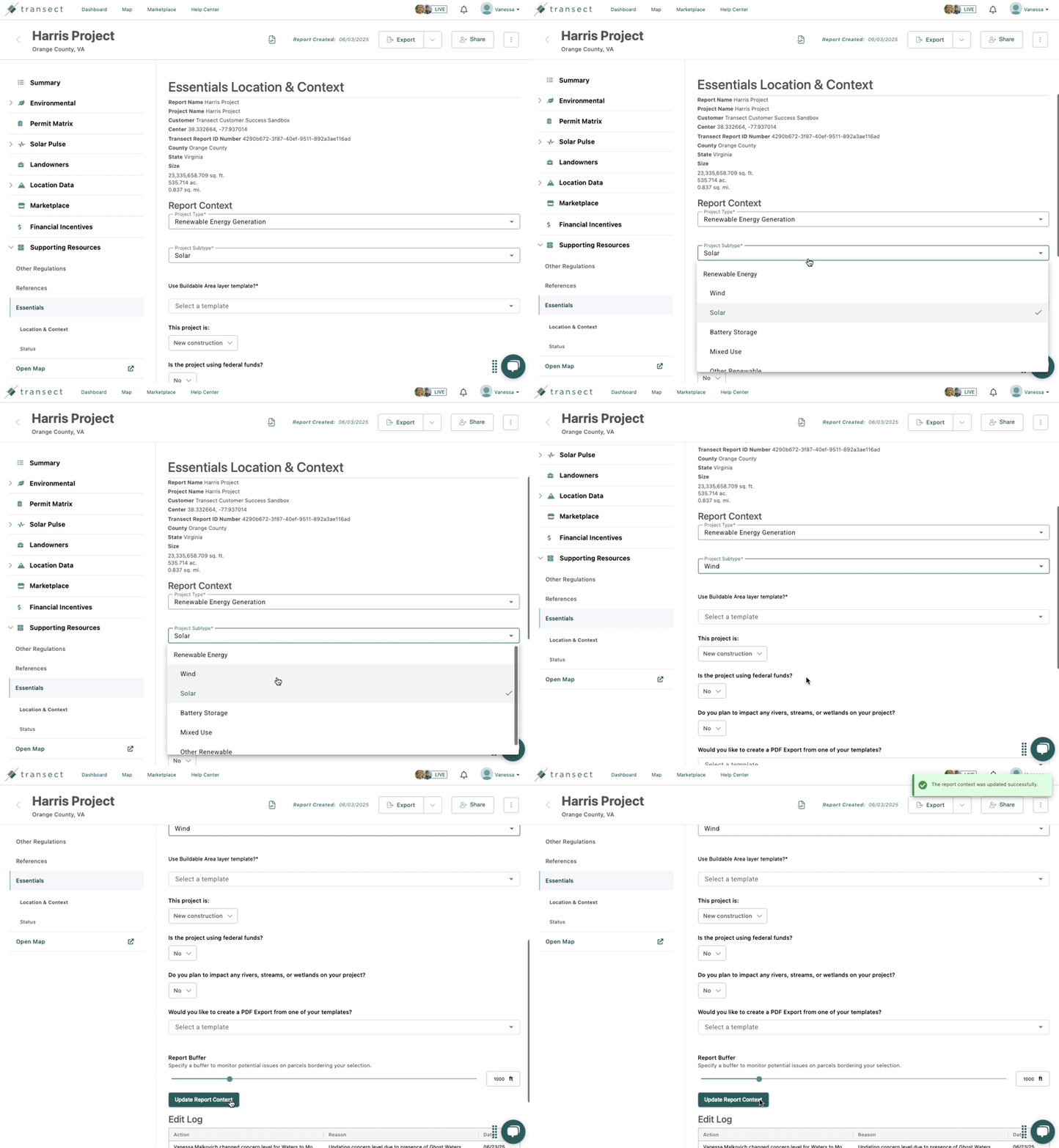
Within a Report, select Supporting Resources from the left-side menu > Essentials. Next, select the dropdown to change the response for any of the context questions. When finished, select Update Report Context.
Need Help Interpreting These Questions?
Not sure how to answer these questions? Our Regional Environmental Specialists are available to help you navigate these selections and interpret your results—click here to schedule a consultation.